Photo Editor
Publisher Description
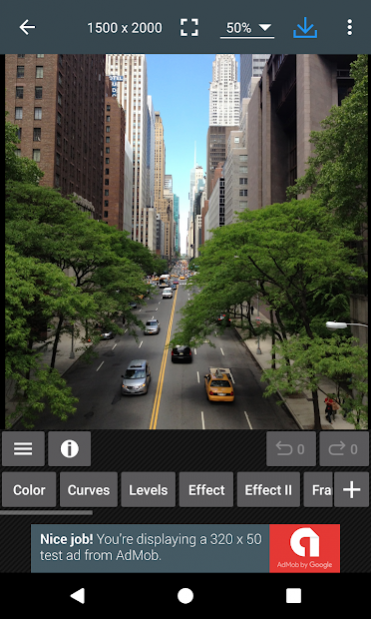
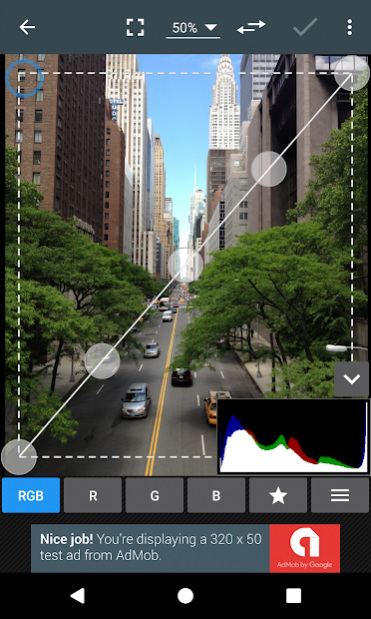
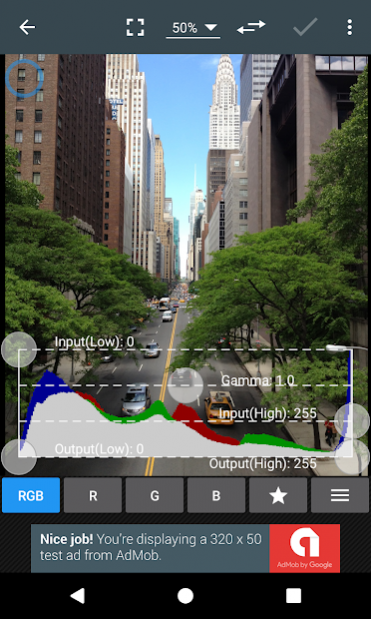
Photo Editor is a small but powerful photo editing application.
If you have some knowledge of photography, you can do a lot with Photo Editor.
Now use Photo Editor to edit photos on your mobile phone just like you would on a PC.
Features
* Color : exposure, brightness, contrast, saturation, temperature, tint and hue
* Curves & Levels : fine-tuning of colors
* Effects : gamma correction, auto contrast, auto tone, vibrance, blur, sharpen, oil paint, sketch, black & white high contrast, sepia, and more
* Adding text, images or shapes
* Frame, Denoise, Drawing, Pixel, Clone, Cut Out
* Rotation, Straighten, Crop, Resize
* Corrections : perspective, lens, red-eye, white balance and backlight
* Easily edit with the touch and pinch-to-zoom interface
* Save images in JPEG, PNG, GIF, WebP and PDF
* View, edit, or delete Metadata (EXIF, IPTC, XMP)
* Save your final result to your gallery, as wallpaper, or on your SD card
* Share photos with e-mail, SNS and more
* Batch, Crop(Puzzle), Compress to ZIP, Create PDF, Animated GIF
* Webpage Capture, Video Capture, PDF Capture(Lollipop+)
* Ad-free option is available (Settings > Purchase Items)
*** Links
Website: https://www.iudesk.com
Tutorials: https://www.iudesk.com/photoeditor/tutorial
*** PHOTO EDITOR IS NOT SPYWARE/VIRUS!!!
Photo Editor does not contain virus or malicious code.
https://www.iudesk.com/photoeditor/security
About Photo Editor
The company that develops Photo Editor is dev.macgyver. The latest version released by its developer is 1.0 .
To install Photo Editor on your Android device, just click the green Continue To App button above to start the installation process. The app is listed on our website since 2020-07-04 and was downloaded 32 times. We have already checked if the download link is safe, however for your own protection we recommend that you scan the downloaded app with your antivirus. Your antivirus may detect the Photo Editor as malware as malware if the download link to com.iudesk.android.photo.editor#@from@#http://pho.to/editor/photo!_e_pad.xml is broken.
How to install Photo Editor on your Android device:
- Click on the Continue To App button on our website. This will redirect you to Google Play.
- Once the Photo Editor is shown in the Google Play listing of your Android device, you can start its download and installation. Tap on the Install button located below the search bar and to the right of the app icon.
- A pop-up window with the permissions required by Photo Editor will be shown. Click on Accept to continue the process.
- Photo Editor will be downloaded onto your device, displaying a progress. Once the download completes, the installation will start and you'll get a notification after the installation is finished.
Program Details
System requirements
Download information
Pricing
Version History
version
posted on 2020-07-04
Version 5.9
. Tools > GIF: Text/Image
. Crash & Bug fixes
version
posted on 2020-06-06
Version 5.8.1
. Crash & Bug fixes
version
posted on 2020-05-13
Version 5.8
. Crash & Bug fixes
version
posted on 2020-04-25
Version 5.7.1
. Crash & Bug fixes
version
posted on 2020-04-16
Version 5.7
. EXIF/IPTC/XMP improvements
. Crash & Bug fixes
version
posted on 2020-03-21
Version 5.6.1
. Crash & Bug fixes
version
posted on 2020-03-18
Version 5.6
. Crash & Bug fixes
version
posted on 2020-01-26
Version 5.5
. Crash & Bug fixes
version
posted on 2020-01-12
Version 5.4.2
. Effect: Channel Mixer, Bucket Fill
. Crash & Bug fixes
version
posted on 2019-12-12
Version 5.3
. EXIF/XMP/IPTC improvements
. Crash & Bug fixes
